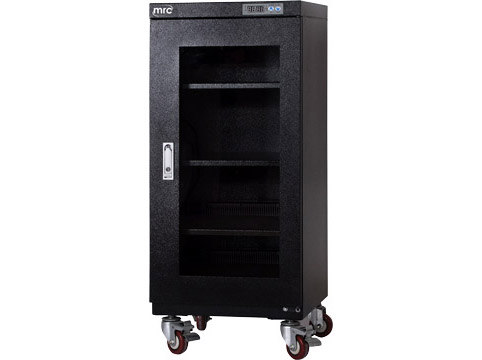
Dry cabinets are essential tools for photographers and optics enthusiasts alike, offering a controlled environment to store sensitive equipment such as cameras, lenses, binoculars, and telescopes. These cabinets regulate humidity levels to prevent moisture damage, fungus growth, and other environmental threats that can degrade optical instruments over time.
Why Using Dry Cabinets
Protecting Your Investments
Investing in high-quality photography and optics equipment is a significant financial commitment. They provide a safeguard against moisture-related issues that could otherwise lead to costly repairs or replacements. By maintaining optimal humidity levels, these cabinets extend the lifespan of your gear, ensuring consistent performance and preserving image quality.
Preventing Fungus and Mold Growth
Humidity is a primary catalyst for fungus and mold growth, especially in tropical or humid climates. Dry cabinets eliminate moisture, creating an inhospitable environment for these harmful contaminants. This prevention is crucial for protecting delicate lens coatings and internal components from irreparable damage.
How Dry Cabinets Work
Humidity Control Mechanism
Dry cabinets employ a dehumidifying system powered by silica gel or electronic dehumidifiers. Silica gel absorbs moisture from the cabinet's air, maintaining humidity levels between 35% to 55%—ideal for storing optical equipment. Electronic models use sensors to detect and regulate humidity automatically, offering precise control over storage conditions.
Temperature Regulation
In addition to humidity control, some of them also feature temperature regulation capabilities. Stable temperatures help prevent condensation inside the cabinet, further enhancing protection against moisture-related issues.
Choosing the Right Dry Cabinet
Capacity and Size Considerations
When selecting , consider the size and quantity of equipment you need to store. Cabinets range in size from compact units for individual lenses to large cabinets capable of accommodating multiple cameras and accessories. Ensure sufficient space for current and future gear needs.
Features to Look For
- Digital Controls: User-friendly interfaces for adjusting humidity and monitoring conditions.
- Shelving and Organization: Adjustable shelves and compartments to maximize storage efficiency.
- Security Features: Locking mechanisms to secure valuable equipment.
- Energy Efficiency: Low-power consumption models for cost-effective operation.
What is the humidity percentage suitable for Dry Cabinets for Photography and Optics?
Dry cabinets for photography and optics typically maintain humidity levels between 30% to 50% relative humidity (RH). This range helps to prevent moisture buildup which can potentially damage sensitive equipment such as cameras, lenses, and optical instruments. It's important to keep humidity within this range to ensure the longevity and optimal performance of the equipment stored inside the dry cabinet.