A laboratory balance is an instrument used to measure the mass of a sample. Laboratory balances are classified according to their sensitivity and capacity. The most sensitive balances, called analytical balances, can measure masses as small as 0.1 milligrams (mg). The least sensitive balances, called top-loading balances, can measure masses up to 500 kg.
Some Essential Features Laboratory Balance
Most laboratory balances have readability of 0.1 mg or better. The readability is the smallest mass you can read on the balance's display. The capacity is the maximum mass that can be weighed on the balance. Most balances have a 200 g, but some have a capacity of up to 500 kg.
You must decide on a maximum weight for the sample and any tare vessels you may employ. The resolution is the smallest change in mass that it can display on the balance's display. The resolution is usually 0.1 mg or better. Note when the tare vessel is applied, the weight of the tare vessel reduces the capacity of the balance.
The following readabilities are available for balances: 0.1 mg, 0.01 mg, 1 mg, and 10 mg. The most sensitive balances are the 0.1 mg and 0.01 mg. The least sensitive are the 1 mg and 10 mg balances.
Correcting a balance so that it weighs accurately is known as adjustment, though the word calibration is used more often. To calibrate, you will need weights of known mass. The weight used to calibrate a balance is called a calibration weight. Calibration weights are available in a variety of shapes and sizes.
The weight inside the balance helps to keep it in place. The internal weight is used to adjust the sensitivity. Adding or removing the internal weight can make the balance more or less sensitive.
External weight is used to calibrate. The external weight is placed on the balance platform, and the display is checked to see if the balance reads accurately. If the balance is not reading accurately, the internal weight is adjusted until the balance reads accurately.
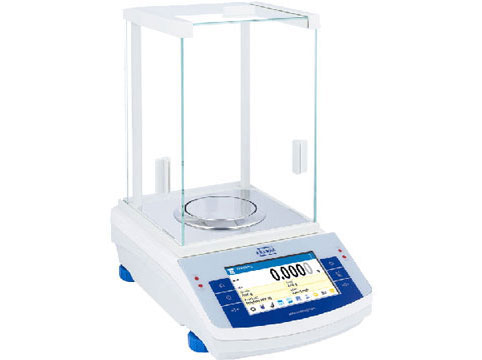
Automatic internal weight adjustment is a feature of some. This feature adjusts the internal weight automatically so that the balance remains accurate. It automatically triggers the internal adjustment when the external weight is applied to the platform.
Some of them have a feature called self-calibration. This feature adjusts the balance automatically so that it remains accurate. Self-calibration is performed by placing a known weight on the balance platform and entering the weight into the balance's memory. The balance then uses the known weight to adjust itself to be accurate.
When Choosing A Balance, You Must Decide On The Following:
CE Verified:
A Non-Automatic Instruments (NAWI) directive that regulated instruments in the UK was enacted. This directive set out the processes needed to be followed when objects. Standards were set out, and organizations were inspected to ensure they followed them.
Pan Size:
The size of the balance pan determines the maximum size of the sample that it can weigh. Choose a pan size that is large enough to accommodate your largest sample.
External Communication Outputs:
Interacting the balance with a printer or computer can be useful. This allows for the capture of data and results. The data can then be stored, analyzed, or reported as required. The USB interface is the most popular type of output for balances. This is because it is a universal standard with a wide range of computers and printers.
Some have an RS-232 interface. This is an older type of interface that is not as widely used as the USB interface. Some have both a USB and RS-232 interface. This allows the balance to connect old and new computer systems.
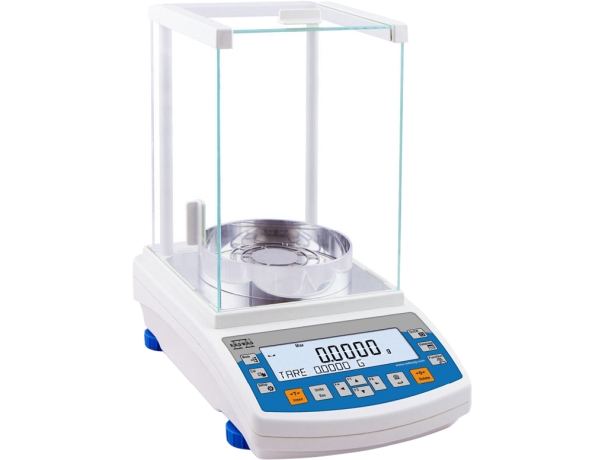
Things to Consider Before Buying A Balance
Some factors can affect your weight, so it's important to be aware of them. The following are just a few examples:
- ●If you are using a container to hold your sample, this will add the container's weight to the sample's weight. This is called the tare weight. It can deduct the tare weight from the total weight by using the tare function.
- ●Static electricity can cause your sample to stick to the container or the balance platform. This will give you an inaccurate weight reading. To avoid this, use an anti-static mat or spray the balance platform with an anti-static solution.
- ●Magnetic fields can affect the accuracy. If you are using a balance that is sensitive to magnetism, do not place it near magnets or electronic devices.
- ●Samples that are very hot or cold can affect the results as they acclimatize to room temperature. To get an accurate reading, wait for the sample to reach room temperature before it.
- ●Samples can lose or gain moisture, which will affect their weight. To avoid this, weigh the sample quickly and store it in a sealed container. So when used in a application, it is important to consider these factors to ensure accurate results.
- ●Use a stable table
- ●Place the instrument not near open windows
Important points when using Laboratory Balances
The environment in which a balance is used impacts how well it weighs. Air currents, temperature, and humidity can all contribute to inaccuracies. If the balance is not in a stable environment, it should be recalibrated more often.
- ●If the balance is placed on a surface subject to vibration, it can affect the accuracy of the results. To avoid this, use a vibration-damping pad or place the instrument on a sturdy surface.
- ●Direct sunlight or artificial light can cause glare and reflections on the balance platform. This can make it difficult to read the display. The heat from the light can also affect the internal components of the balance and impact its accuracy. To avoid this, use a balance with a built-in light shield or place it in a location where there is no direct sunlight or artificial light.
- ●Air currents can cause the balance to move. This can be caused by doors opening or air conditioning vents. To avoid this, use a balance with an air-dampened draft shield or place it where there is no air movement.
- ●Changes in temperature and humidity can affect the accuracy. To avoid this, use a balance that is temperature and humidity compensated.