A laboratory hotplate is a necessary piece of equipment in many scientific applications. It is used to heat or boil liquids and solids in containers placed on top of the plate. This guide will provide a comprehensive overview of how to use a laboratory hotplate safely and effectively.
A laboratory hotplate is a common piece of equipment found in chemistry, biology, and other scientific laboratories. It is designed to heat substances for various purposes such as boiling, evaporation, or distillation. Hotplates are an alternative to open flames and are much safer, especially when handling flammable substances.
Using a laboratory hotplate is a simple task that requires following a few basic steps. In this guide, we will explain how to use a hotplate safely and effectively.
Safety Precautions
As with any laboratory equipment, safety is the top priority when using a hotplate. Here are some important safety precautions to keep in mind:
- Wear appropriate personal protective equipment such as goggles, gloves, and a lab coat.
- Keep flammable substances away from the hotplate.
- Use only heat-resistant containers on the hotplate.
- Do not touch the instrument with bare hands when it is turned on.
- Turn off the instrument when it is not in use.
Setting up the Hotplate
Before using the Laboratory Hotplate, you must set it up correctly. Here are the steps to follow:
- Place the instrument on a stable and level surface.
- Plug in the power cord and turn on the hotplate.
- Place the container on the hotplate.
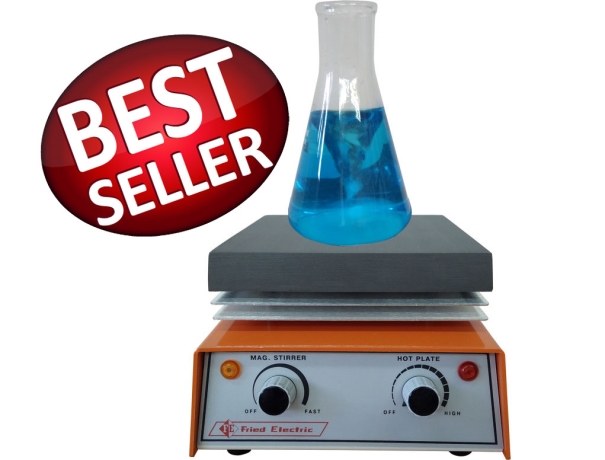
- Adjust the temperature control to the desired temperature.
Temperature Control
The temperature control is a critical feature of the hotplate. It is essential to use the temperature control correctly to avoid damaging the sample or the hotplate. Here are some tips for using the temperature control:
- Start with a low temperature and gradually increase it as needed.
- Use a thermometer to monitor the temperature of the sample.
- Do not exceed the maximum temperature limit of the hotplate.
Using the Hotplate
Once the laboratory hotplate is set up and the temperature control is adjusted, it is time to use the hotplate. Here are the steps to follow:
- Place the container with the sample on the hotplate.
- Adjust the temperature control to the desired temperature.
- Stir the sample with a stirring bar if necessary.
- Monitor the temperature of the sample with a thermometer.
Cleaning and Maintenance
To ensure the hotplate functions correctly, it is essential to clean and maintain it regularly. Here are some tips for cleaning and maintaining a hotplate:
- Turn off and unplug it before cleaning.
- Wipe the hotplate with a damp cloth after each use.
- Use a mild detergent to clean the hotplate if necessary.
- Do not immerse the hotplate in water.
- Check the hotplate for any damage or wear regularly.
Application of Laboratory Hotplate
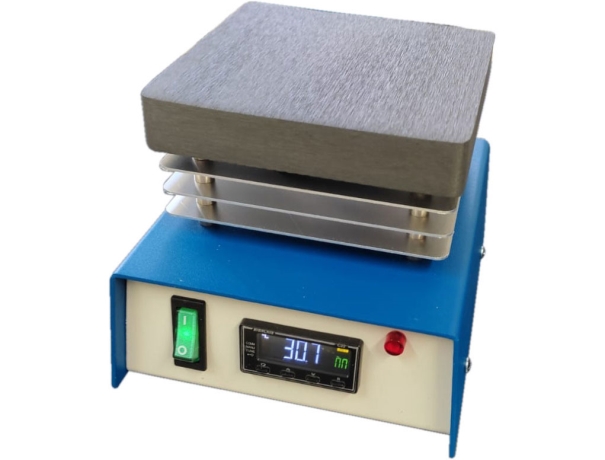
- Heating Solutions: Used to heat solutions in various chemical reactions. It can provide a controlled and consistent heat source that can be adjusted to the desired temperature. This feature makes them ideal for use in various laboratory settings.
- Melting Solids: Used to melt solids. For instance, in organic chemistry, a solid may need to be melted before use. Hotplates are an excellent way to provide heat to a solid until it reaches its melting point.
- Evaporation: Used to evaporate solvents from solutions. This process is commonly used in the production of pharmaceuticals and other industrial applications.
- Distillation: Used in the process of distillation. Distillation is a process used to separate a mixture of liquids based on their boiling points. It provide a consistent heat source that can be adjusted to the desired temperature needed for distillation.
- Sterilization: Used to sterilize various laboratory equipment. By applying heat to the equipment, it can be effectively sterilized, making it safe for use in scientific experiments.
- Maintaining Constant Temperature: Used to maintain a constant temperature. This feature is useful in experiments where maintaining a consistent temperature is crucial to obtaining accurate results.