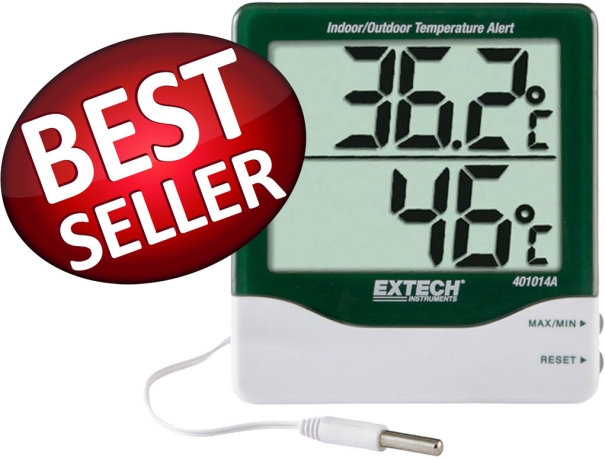
A laboratory thermometer is a precision instrument designed to measure temperature accurately within a confined range. Unlike common household thermometers, which have limited accuracy, laboratory thermometers are engineered to deliver precise readings crucial for scientific research and experiments.
Safety Precautions
Handling and Storage
Before using, ensure proper handling and storage. Always hold the thermometer by the top end, away from the bulb, to avoid contamination and breakage. When not in use, store the thermometer securely in its protective casing.
Pre-Use Inspection
Before each use, inspect the thermometer for any signs of damage or defects. Ensure that the scale is legible, the glass is intact, and there are no leaks or cracks.
Handling Hazardous Materials
If you're dealing with hazardous substances or chemicals, take extra precautions. Avoid direct contact between the thermometer and the hazardous material to prevent contamination and potential hazards.
How often should I calibrate my laboratory thermometer?
Calibrating your laboratory thermometer is essential to ensure accurate temperature measurements. The frequency of calibration depends on several factors, including the type of thermometer, its intended use, and the manufacturer's recommendations. In general, it is recommended to calibrate laboratory thermometers at regular intervals to maintain their accuracy.
For most of them, a calibration check should be performed:
- Before First Use: before using it for the first time, it is crucial to calibrate it. This initial calibration establishes a baseline for accurate readings.
- Periodically: The frequency of regular calibration checks can vary based on the thermometer's usage and the level of accuracy required. As a general guideline, a calibration check should be done at least once every six months to one year.
- After Significant Changes: If the thermometer undergoes any significant changes, such as exposure to extreme temperatures, physical damage, or long periods of non-use, it is advisable to calibrate it again.
- Before Critical Experiments: For experiments that require utmost precision, it is essential to calibrate before conducting the experiment to ensure reliable results.
- As Recommended by Manufacturer: Always refer to the manufacturer's guidelines and recommendations for calibration intervals specific to your model.
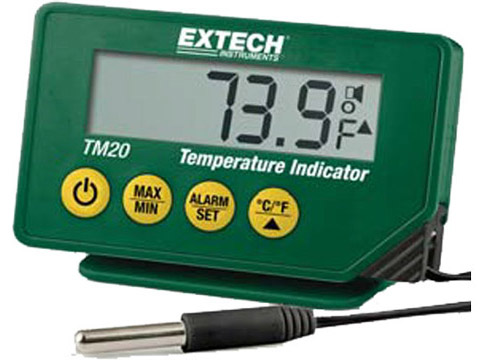
how to use it?
To use correctly, follow these step-by-step instructions:
Preparation: Before using, ensure it is clean and free from any residue or contaminants. If it was stored in a protective casing, remove it gently.
Handling the Thermometer: Hold the thermometer firmly but gently by its top end (the part opposite the bulb). Avoid touching the bulb or the stem, as it can affect the accuracy of the temperature reading.
Inspect for Damage: Before use, visually inspect the thermometer for any signs of damage, such as cracks, chips, or a foggy appearance inside the glass. A damaged thermometer may provide inaccurate readings and should not be used.
Zero-Point Adjustment: If the thermometer has a zero-point adjustment feature, perform it according to the manufacturer's instructions. This process ensures that the thermometer reads zero when placed in an environment at the correct reference temperature.
Preparation of Sample: Ensure the sample or substance you wish to measure is ready for temperature assessment. For some applications, it may be necessary to stir the sample to ensure temperature uniformity.
Insertion: Carefully insert the thermometer into the substance whose temperature you want to measure. For liquid samples, the meter should be immersed deep enough to cover the entire bulb and part of the stem. Avoid touching the sides or bottom of the container.
Stabilization: Wait for the thermometer reading to stabilize. The mercury or digital display should settle at a constant value, indicating that the temperature has been accurately recorded.
Reading the Temperature: For mercury-in-glass thermometers, read the temperature value at eye level, where the meniscus (the curved surface of the mercury) intersects with the scale. In digital, the temperature will be displayed on the screen.
Recording Data: If required for your experiment or record-keeping, note down the temperature reading along with the time of measurement and any other relevant details.
Removing the Thermometer: After recording the temperature, carefully remove the thermometer from the sample. Be cautious not to spill the sample or contaminate.
Cleaning and Storage: Clean after use using the appropriate cleaning method. Store it securely in its protective casing, away from direct sunlight or extreme temperatures.