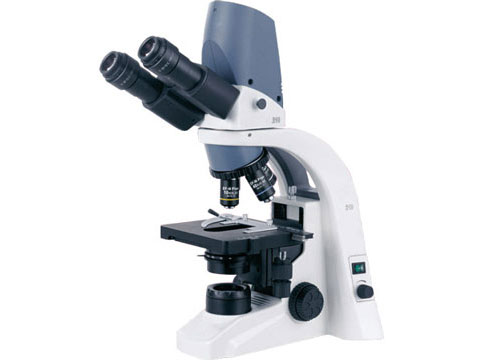
Digital microscopes are microscopes that use digital imaging technology to display a magnified image on a computer screen or other display device. They can be used for a variety of purposes, including scientific research, education, and quality control. Digital microscopes generally offer higher magnification and resolution than traditional optical microscopes, and they can also be equipped with features such as image and video capture, measurement tools, and specialized lighting. They are often more convenient to use than traditional microscopes, as they allow users to view and analyze images on a computer screen rather than through an eyepiece.
What is the advantage of using digital microscope?
- Magnification and resolution: Very high quality
- Image and video capture: Digital microscopes can capture images and videos of the sample being observed, which can be useful for documentation and analysis.
- Measurement tools: Many come with measurement tools that allow users to take precise measurements of features within the image.
- Specialized lighting: Digital microscopes can be equipped with specialized lighting, such as polarized light or fluorescence, which can be useful for certain types of samples.
- Convenience: Its allow users to view and analyze images on a computer screen, which can be more convenient than looking through an eyepiece. They also allow for easy sharing of images and videos with others.
- Cost: Digital microscopes can be more affordable than traditional optical microscopes, particularly for high-end models.
How do you choose a digital microscope?
When choosing a digital microscope, there are several factors to consider:
Magnification and resolution: The magnification and resolution of the microscope will depend on your intended use. If you need high magnification and resolution, you may want to choose a microscope with a higher pixel count.
Image and video capture: If you plan to capture images and videos of your samples, you may want to choose a microscope with high-quality image and video capture capabilities.
Measurement tools: If you need to take precise measurements of features within your samples, you may want to choose a microscope with measurement tools such as a stage micrometer or calipers.
Specialized lighting: If you need specialized lighting, such as polarized light or fluorescence, you may want to choose a microscope with these capabilities.
Compatibility: Make sure the microscope is compatible with your computer or other display device.
Budget: Determine your budget and choose a microscope that meets your needs within your price range.
Brand and warranty: Consider the reputation and warranty offered by the manufacturer.
What is the difference between a digital and compound microscope?
A digital microscope is a microscope that uses digital imaging technology to display a magnified image on a computer screen or other display device. A compound microscope is a traditional optical microscope that uses lenses and light to magnify a sample and produce an image that is viewed through an eyepiece.
One of the main differences between the two types of microscopes is the way in which the image is viewed. With a digital microscope, the image is displayed on a screen, while with a compound microscope it is viewed through an eyepiece. It can also generally offers higher magnification and resolution than compound microscopes, and they can be equipped with features such as image and video capture, measurement tools, and specialized lighting. However, compound microscopes are generally less expensive than digital microscopes and may be more suitable for certain applications.
How does digital Microscope work?
Digital microscopes work by using a digital camera to capture an image of the sample being observed, which is then displayed on a computer screen or other display device. The digital camera is mounted on the microscope in place of an eyepiece, and it is typically connected to a computer via a USB cable.
To use a digital microscope, the user first places the sample on the microscope stage and focuses the image using the focusing knobs. The digital camera then captures an image of the sample, which is displayed on the computer screen. The user can then view and analyze the image on the screen, and may be able to adjust the magnification, lighting, and other settings using the software provided with the microscope. Some also have the capability to capture images and videos of the sample, and may have measurement tools and other specialized features.
Application of digital Microscopes
Digital microscopes can be used for a wide range of applications, including scientific research, education, quality control, and more. Some examples of specific applications include:
Biological research: Used in research to study cells, tissues, and other biological samples at high magnification. They can be used to study the structure and function of various biological systems and to identify and analyze various features within the sample.
Education: Used in classrooms and other educational settings to teach students about the structure and function of cells, tissues, and other small structures. They can also be used to introduce students to scientific research techniques.
Quality control: Used in a variety of industries to inspect products and materials for defects or other quality issues. They can be used to inspect everything from electronic components to food products.
Medical diagnosis: Digital microscopes can be used in medical settings to examine samples of tissues and other biological materials for the presence of diseases or other abnormalities.
Industrial inspection: Used in manufacturing and other industrial settings to inspect products and materials for defects or other quality issues.
Materials science: Digital microscopes can be used to study the structure and properties of various materials at a microscopic level, which can be useful for research and development purposes.